
Toddler Games: Kids Learning
Toy Tap LLPEducational
4.346.00 Reviews
- Version
- 7.0
- Installs
- 5.00M
- Age Rating
- Everyone
Screenshots
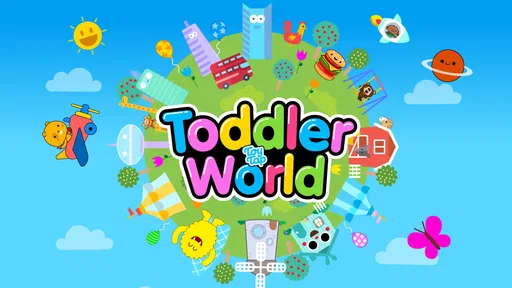
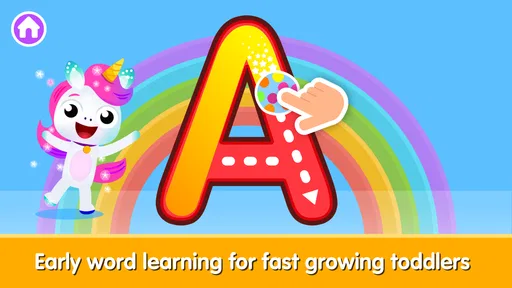
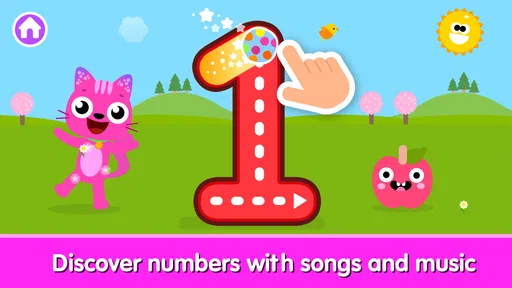
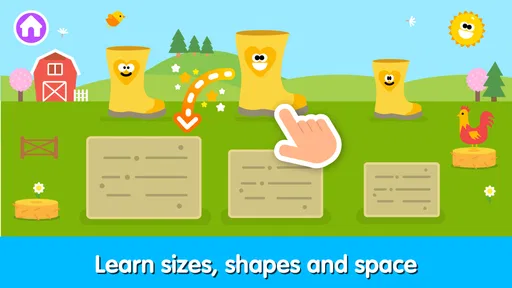
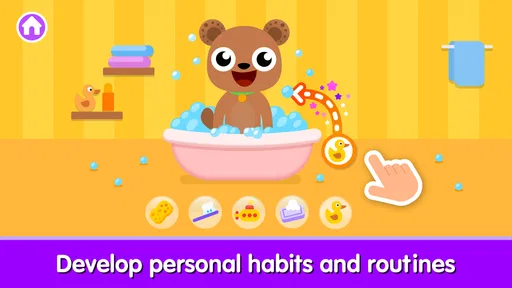
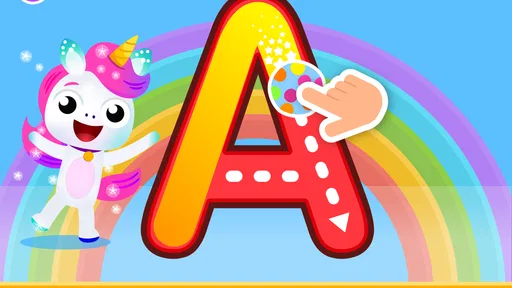
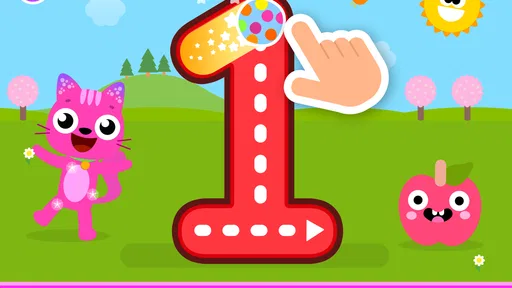
Our Review of Toddler Games: Kids Learning
 Analysis by Appyee
I’d treat Toddler Games: Kids Learning as a small, guided play option for moments when a young child wants to tap, match, listen, and explore. I like the idea of learning activities that can fit into an ordinary day, but I would not mistake a phone game for a full preschool routine. Its value depends on how a child responds to the screen and whether an adult is nearby to help turn a quick game into a conversation.
Who is likely to enjoy it
This educational game is aimed at young children who are beginning to notice colors, shapes, letters, and numbers. It may suit a caregiver looking for a simple activity during a quiet stretch at home, or a child who enjoys trying a short digital puzzle with an adult beside them. Toy Tap LLP makes the game, and its broad child-friendly framing is reflected in an Everyone content rating.
The audience is not every learner, though. A child who prefers blocks, picture books, or movement may get more from those activities than from repeated screen taps. I would also look elsewhere if you need a structured teaching program, a detailed learning record, or a tool tailored to a particular developmental goal. This is best approached as one optional activity in a varied mix of play.
How it compares with familiar alternatives
Compared with paper flashcards or a simple matching toy, a game can add sound and immediate interaction, which may help hold a toddler’s attention for a short spell. Compared with a general video, the appeal is that a child can take an action rather than only watch. That distinction is useful, but it does not automatically make screen play more educational: an adult asking “Which one is the same?” can add more meaning than leaving a child to tap without discussion.
For families already using several children’s apps, I would choose this one based on how comfortably the child can follow its activities, not on the promise of having lots to do. The game has a 4.4 average from around 2,500 ratings and over 5 million installs, which suggests it has reached many families, but popularity cannot tell you whether its pace or presentation will suit your child. A brief supervised try is a better test than assuming a high number of users guarantees a good fit.
Making a short session more useful
A practical approach is to sit nearby for the first few attempts and make the screen a prompt for real-world play. If a child is looking at a shape, you can invite them to find something similar in the room; if they are working with colors, everyday objects can extend the activity without keeping the device in their hands. This is a low-effort way to see whether the game encourages curiosity or simply keeps attention fixed on the display.
For example, while waiting for a meal to cool, a caregiver could offer one brief turn, then ask the child to spot a matching color on a cup or toy. Keeping the session tied to a natural pause makes it easier to stop when interest fades. I would avoid using the app as a bargaining tool or expecting it to settle a tired child every time; frustration, hunger, and fatigue are not problems a learning game can reliably solve.
Costs and practical boundaries
The game is free to download, but it includes optional in-app purchases priced from $4.99 to $84.99 per item. That matters in a household where a toddler can reach the device: I would check the purchase controls on the phone or tablet before handing it over, and avoid assuming that “free” means every part of the experience has no cost. The purchase range is wide enough that caregivers should make their own decision before a child encounters any purchase prompt.
It was released on March 11, 2020, and the current version is 6.9. It runs on Android 7.0 or later, so an older device may not be suitable. Since the listing describes it as a toddler game rather than a course, I would not expect it to replace an adult’s teaching or provide a complete progression through early learning topics. For parents who want a formal curriculum or detailed ways to track progress, a dedicated learning platform or offline materials may be a better match.
My overall recommendation is modest: consider it for supervised, occasional play if your child likes simple touch-based activities, and judge it by their comfort rather than by screen time alone. It is less suitable when a child finds sound or bright visuals distracting, needs a specific accessibility adaptation, or benefits more from hands-on movement. Keeping an adult involved and having an easy stopping point makes the experience more flexible for different ages, moods, and abilities.
Hey there, fellow parents and guardians! I recently had the opportunity to check out an app called Toddler Games: Kids Learning, and let me tell you, it’s like having a mini school right in your pocket. Whether you’re looking for an educational tool to keep your toddler engaged or just something fun and interactive, this app has you covered.
What Is Toddler Games: Kids Learning All About?
So, what exactly is Toddler Games: Kids Learning? It’s a nifty little app designed specifically for kids, particularly those in the toddler age group. The app is jam-packed with a variety of games and activities that are not only entertaining but also educational. Think of it as a digital playground where your little one can learn the basics of numbers, colors, shapes, and more.
Gameplay and Features
Let’s dive into the meat of the app. The design is very intuitive, making it easy for toddlers to interact with. Trust me, even if your child is a bit young for tech, they’ll get the hang of it in no time. The games are colorful and engaging, and the interface is straightforward, which is perfect for little hands and big imaginations.
One of the standout features is the variety of games available. From puzzles to interactive stories, there’s something to spark every child’s interest. The app cleverly integrates learning into each game, so while your kiddo might think they’re just playing, they’re actually picking up valuable skills.
Educational Value
Now, onto the good stuff—how much can your toddler actually learn from this app? Quite a bit, actually. The games are designed to develop early learning skills, focusing on areas such as numeracy, literacy, and critical thinking. There are activities that help with counting, recognizing shapes, and understanding colors. Plus, the app includes some fun memory games that are great for boosting cognitive development.
I particularly love how the app uses music and sound effects to enhance the learning experience. It keeps the atmosphere lively and helps with auditory learning. Your toddler will be so engaged, they won’t even realize they’re learning.
User Experience and Accessibility
As a parent, I know how important it is for an app to be user-friendly. Toddler Games: Kids Learning doesn’t disappoint in this department. It’s easy to navigate, and the setup process is a breeze. Once you download and install, you’re pretty much ready to go. The app doesn’t require any complicated configurations, which is a huge plus.
The app also offers a safe environment for your child. There are no ads or in-app purchases that might lead to accidental buys. It’s a relief knowing your child can explore the app without any unexpected surprises.
Final Thoughts
Wrapping it all up, Toddler Games: Kids Learning is a fantastic tool for any parent looking to blend fun with learning. It’s a great way to keep your toddler busy while also providing some educational value. The variety of games ensures there’s always something new to explore, which helps keep the app fresh and exciting.
If you’re in search of an app that’s entertaining yet educational, this one is definitely worth checking out. Download it today, and watch your toddler embark on a fun-filled learning adventure!
Verdict
Strengths of Toddler Games: Kids Learning
- Engaging graphics keep toddlers entertained.
- Simple interface for easy navigation.
- Wide variety of educational mini-games.
- No ads in the premium version.
- Supports multiple languages for learning.
Limitations of Toddler Games: Kids Learning
- Limited free content without purchase.
- Some games require internet connection.
- Occasional app crashes on older devices.
- In-app purchases can add up quickly.
- No offline mode for all features.
Other Releases by Toy Tap LLP
View All
Coloring and Drawing For Kids
Educational4.7

Toddler Car Games For Kids 2-5
Educational4.7

Coloring and Drawing For Girls
Educational4.7

Kids Monster Truck Games 2+
Educational4.6
Similar Picks in This Category
View All
Little Panda Policeman
BabyBus4.0

Monster Trucks Game for Kids 2
Raz Games4.1

Little Panda's Chinese Recipes
BabyBus4.4

Little Panda's Restaurant
BabyBus4.4

Little Panda's Ice Cream Games
BabyBus4.3

Baby Panda Care
BabyBus3.8
Frequently Asked Questions
What age group is Toddler Games: Kids Learning suitable for?
Toddler Games: Kids Learning is designed for children aged 2 to 5 years old. The app's content is tailored to engage young minds and help them develop essential skills through fun and interactive activities. The games are simple enough for toddlers to understand, yet stimulating enough to hold their attention.
Is Toddler Games: Kids Learning safe for my child to use?
Yes, Toddler Games: Kids Learning is designed with child safety in mind. The app does not contain any inappropriate content or ads that could be harmful. It also requires minimal navigation to ensure that children can use it independently, without accidentally accessing other apps or content.
Does Toddler Games: Kids Learning require an internet connection?
Toddler Games: Kids Learning can be used offline after the initial download. This means that your child can enjoy the games anywhere, even in places without internet access. However, an internet connection may be needed for updates or accessing additional content.
What educational benefits does Toddler Games: Kids Learning offer?
Toddler Games: Kids Learning offers a range of educational benefits, including the development of fine motor skills, cognitive abilities, and early literacy and numeracy skills. Each game is crafted to teach children through play, enhancing their learning experience with colorful visuals and engaging sounds.
Are there in-app purchases in Toddler Games: Kids Learning?
Toddler Games: Kids Learning offers some content for free, but there are optional in-app purchases available to unlock additional games and features. Parents can control these purchases through device settings to ensure a safe and secure experience for their children.
Play our best games!


